Case Study
Making Course Access Faster for JD Advising Students
JD Advising needed a more flexible WooCommerce website for selling bar exam courses, study materials, tutoring, and memberships. Built Mighty improved checkout, automated Brightspace enrollment, and made it easier for students to access what they purchased.
Relationship Length
Technical partner since April 2025
Focus
Product-specific checkout, automatic course enrollment, and the student account
- Product-Specific Checkout
- Brightspace Enrollment
- Enfold to Gutenberg Migration
Focus
Course access
- Custom WordPress Development
- Custom Plugin Development
- Data Visualization & Mapping
from purchase to Brightspace course access
Challenge
- One checkout for every kind of product
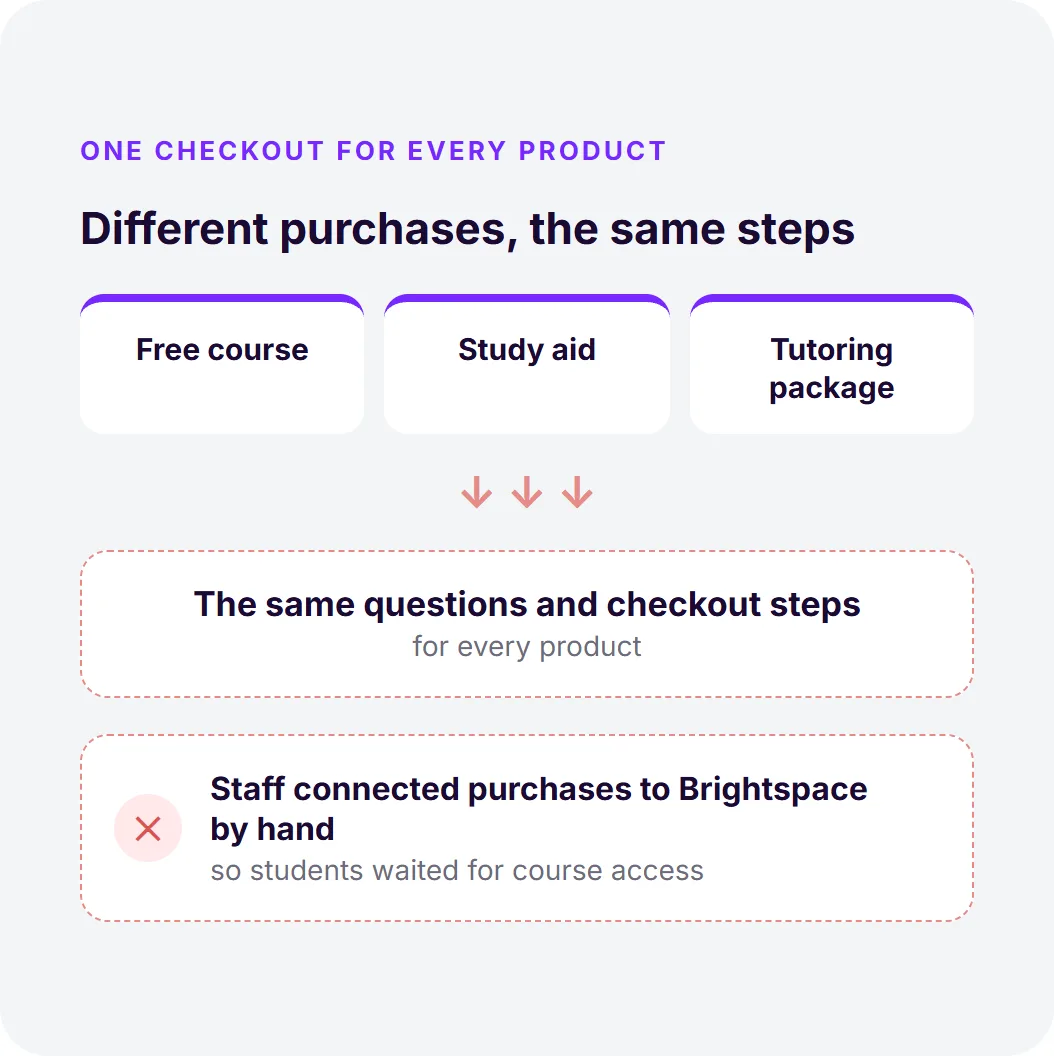
- Staff linked purchases to Brightspace by hand
- Students waited for course access
- Enfold, MemberPress, and piled-up plugins
Solution
- Checkout flows built for each product type
- WooCommerce-to-Brightspace enrollment
- A redesigned My Account area
- 500 Enfold pages moved to Gutenberg
- Purchase and enrollment logic in a custom plugin
Result
- Course access in about five seconds
- Less manual enrollment work for staff
- Zero broken shortcodes after the migration

Client Overview
JD Advising helps law students prepare for the bar exam through online courses, study materials, private tutoring, and institutional programs. Its audience includes students preparing for their first bar exam as well as existing lawyers qualifying in another state.
Built Mighty began working with JD Advising in April 2025 to improve the WooCommerce site supporting those products and the students using them.



The Challenge
JD Advising had a lot of products, but the website treated too many of them the same way.
The site relied on the Enfold theme, MemberPress, and a collection of plugins that had accumulated over time. It was harder to manage, slower than it needed to be, and not always intuitive for customers.
The biggest friction came after a customer decided to buy.
A student could purchase a digital course in WooCommerce, but the actual course lived in Brightspace, JD Advising’s learning management system. The old process required staff to manually connect purchases with Brightspace access.
For digital products, that delay matters. When someone pays hundreds or thousands of dollars for a course, they expect to access it right away.
Checkout also followed too much of a one-size-fits-all approach. A free course, study aid, and tutoring package did not necessarily need the same questions or checkout steps.
The business was working. The website just wasn’t keeping up with how the team and customers actually worked.
The team was spending extra time handling things manually, and customers had to take more steps than they should to get what they needed.
Our Approach
We focused on making the site easier for students to use while giving JD Advising more control over how different products were sold.
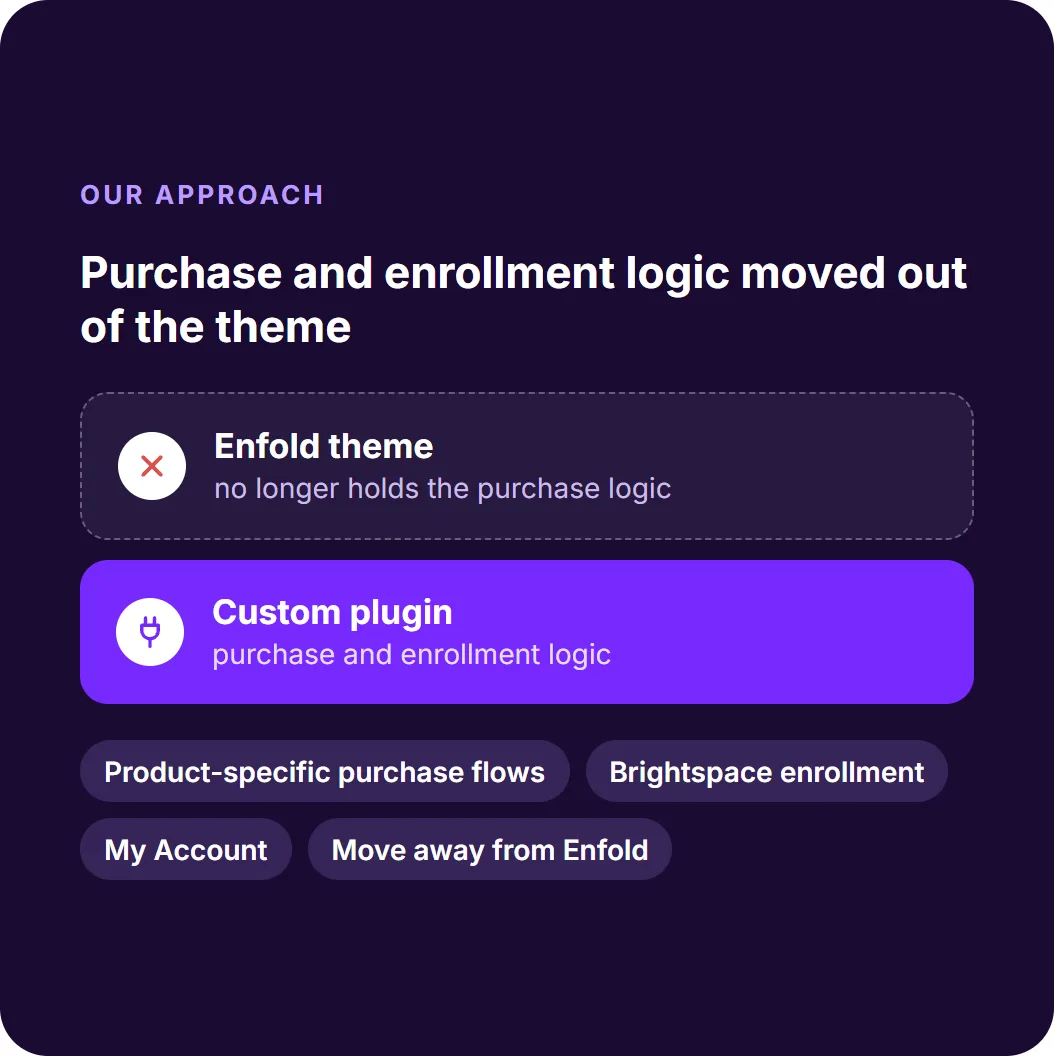
We changed the parts of the site that created the most friction: product-specific purchase flows, WooCommerce-to-Brightspace enrollment, the My Account experience, and the site’s move away from Enfold.
We also moved important purchase and enrollment logic into a custom plugin so it was no longer tied to the theme.
What We Built

A checkout that fits the product
Different products now have different purchase experiences.
Courses collect information such as exam date, jurisdiction, and accommodation needs through Gravity Forms Product Add-ons. Tutoring has its own scheduling flow, while simpler study aids can go directly to checkout. Free products use a shorter checkout that only asks for the information needed to create an account.
For businesses selling different types of products or services, this keeps customers from going through the same checkout process when they have different needs. JD Advising can also collect important information during checkout instead of following up with another form.

Automatic course enrollment
We connected WooCommerce with Brightspace so a purchase can trigger enrollment automatically.
The system creates or matches the student’s Brightspace account, enrolls them in the correct course, and connects that enrollment back to the WooCommerce order. What previously required staff to confirm purchases and activate access can now happen automatically, getting students into their courses in about five seconds.
This kind of workflow can help any business that sells online products or services but delivers them through a separate learning, membership, or customer platform.

A simpler student account
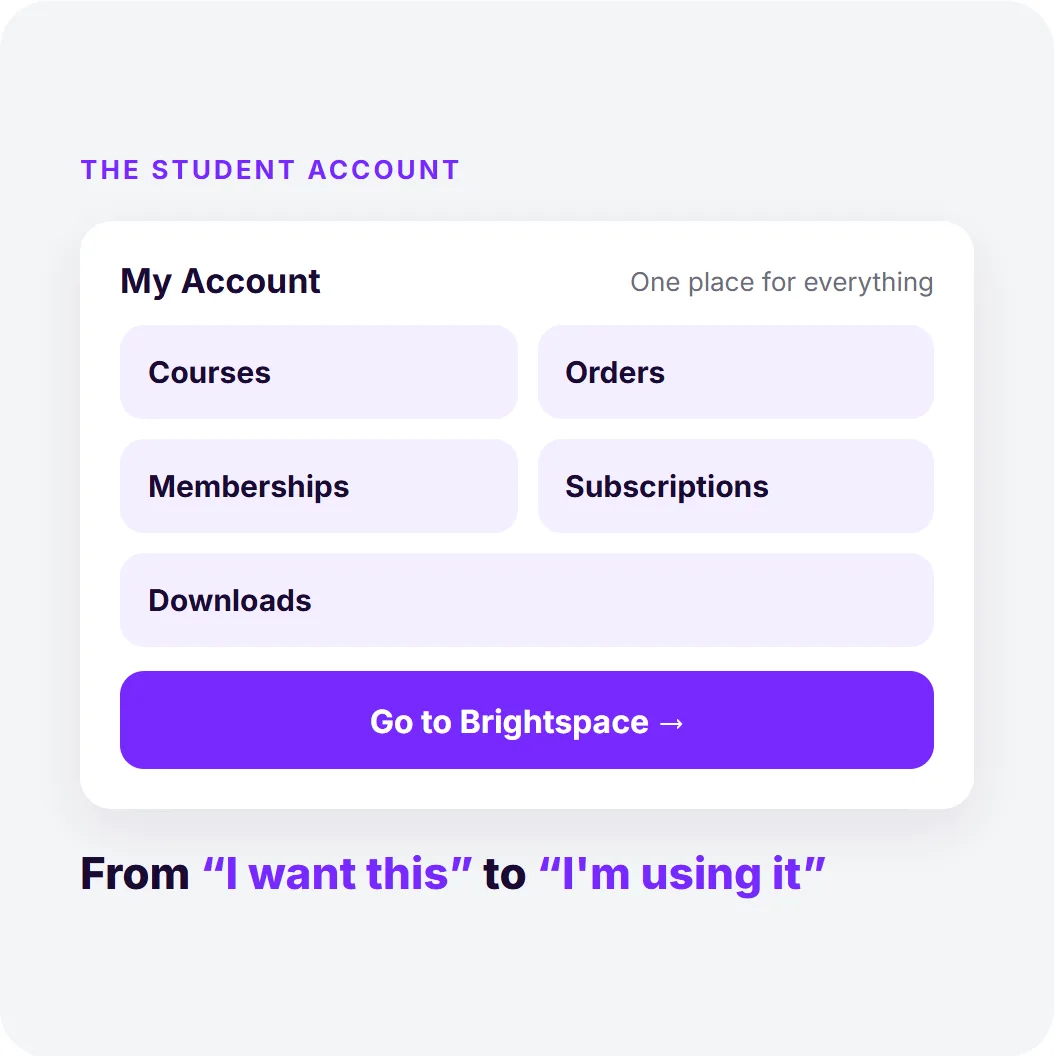
We redesigned the WooCommerce My Account area around what students actually need.
Students can see their courses, orders, memberships, subscriptions, and downloads in one place. They can also go directly to Brightspace instead of searching through multiple screens to find their courses.
The same approach can work for businesses where customers need to manage several types of purchases or access content across multiple systems.

Moving away from Enfold
Content migration was surgical. Enfold stored content in theme-specific shortcodes, so it couldn’t simply be moved to the new site. The jda-shortcode-migrator plugin converted 500 pages, including 177 blog posts, 256 study aids, 67 flashcards, and the main course registration page.
The migration ran in stages with previews and backups, leaving zero broken shortcodes.
We built a custom WordPress tool to migrate the site from Enfold to Gutenberg, one page at a time. This lets the team review and adjust each page without rebuilding it from scratch.
JD Advising has since moved away from Enfold, making the site easier to update and maintain.
How It Works

Measurable Results
JD Advising’s business is seasonal, so we do not attribute the revenue increase entirely to the platform changes. What we can point to directly is a better customer experience, less manual enrollment work, and a site that can support different products without forcing them through the same process.
JD Advising now has a website that better matches the way its students buy and use its products.
Staff confirmed purchases and activated access
From purchase to course access, automatically
The Result
Customers can follow a checkout designed for what they are purchasing, get course access much faster, and reach their Brightspace content with fewer steps.
Behind the scenes, JD Advising’s team spends less time manually processing enrollments and has a simpler system for managing the site.
The technology changed, but the real improvement was simple: students can get from “I want this” to “I’m using it” with much less friction.
If your WooCommerce site is making it harder for customers to buy, access, or use what they purchased, Built Mighty can help identify what’s getting in the way.
Talk to a WooCommerce Expert
See If We’re the Right Team for You.
Talk to us