Services
eCommerce UX/UI design that converts
Great design moves customers from first click to checkout. We build clean, intuitive interfaces backed by real user behavior, not just guesswork about what looks nice.


Does your site make it easy to say 'yes'?
Point us to the pages that aren’t performing. We’ll find the friction and design an experience that’s clear, fast, and built to convert.
What We Do
If your site still isn’t doing what you need after multiple developers, the problem probably isn’t you. It’s that nobody took the time to learn your business first. That’s where we come in. 👋

UX Audits & Research
We run a full audit of your site using heatmaps, session recordings, and a page-by-page review, so we can see exactly where people get stuck, confused, or drop off before completing a purchase.
Knowing exactly where people struggle means we can fix the right things first, for the biggest impact.
Want a second opinion before a redesign? Ask about a UX and conversion audit on the contact page; these ten red flags are what we look for first.
eCommerce Design
Store design is a different job from brochure design: product pages that answer the buying question, category pages people can actually filter, and a checkout that gets out of the way. We design in Figma, test against real customer tasks, and hand the build to the same team, so what you approve is what ships.
Miss Cookie Packaging (finding the right product), Husky Labels (a configurator that cut pre-sale calls by about 40%) and Antica Farmacista (a luxury storefront) are three recent ones.

Wireframing & Prototyping
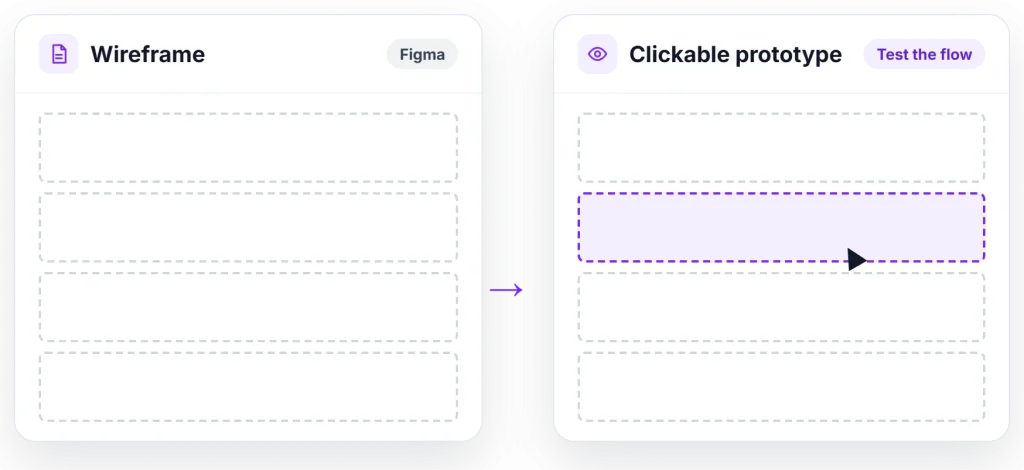
Before any visual design begins, we map out the layout and structure of each page as a wireframe in Figma, then build a clickable prototype so you can click through the actual flow and test how it works before a single line of code gets written.
Catching structural issues early keeps the whole project on time and on budget.
Visual Design & High-Fidelity Mockups
Once wireframes are approved, we move into high-fidelity mockups: the fully designed, pixel-accurate version of each page with real colors, typography, and imagery, built inside a full design system in Figma so every button, form field, and component stays consistent across the whole site.
Seeing the actual design before development starts means you know exactly what you're getting, no surprises once it's built.
Checkout Flow Optimization
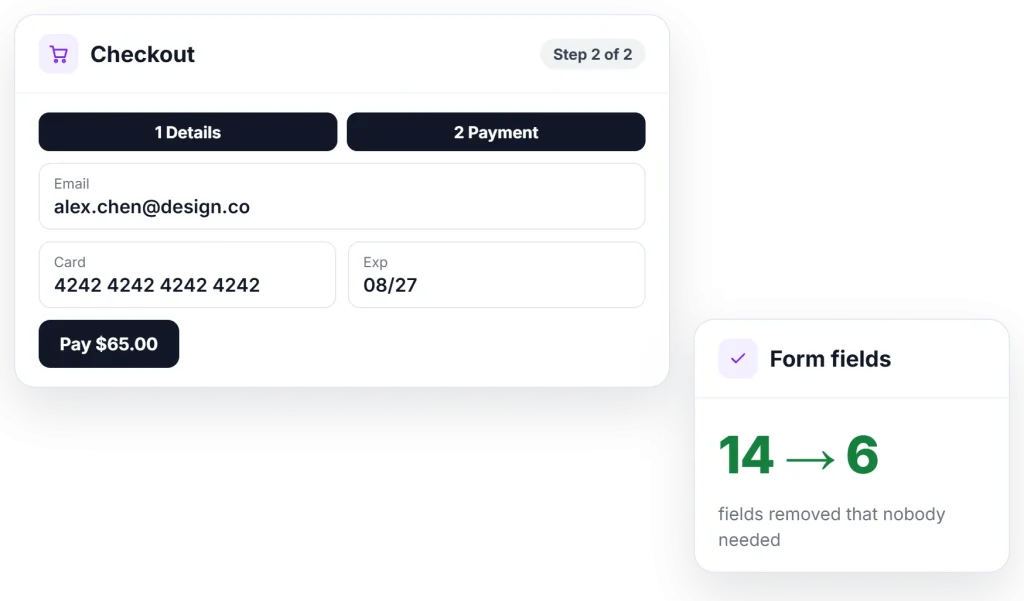
We review your checkout process and reduce it to as few steps as possible, remove unnecessary form fields, clarify what's happening at each step, and make sure buttons and progress are always clear, so nothing gets in the way between adding to cart and completing an order.
A smoother checkout means more of the sales you already earned actually make it across the finish line.
JD Advising is a recent checkout rebuild; eleven ways to improve checkout and optimising WooCommerce product pages are the guides.
Proud to work with:












Let’s Design a Site People Actually Want to Use
If people have to think, they leave. We design clean, intuitive interfaces that move customers from first click to checkout without friction. Here’s what UX and UI design includes:
-
UX Audits
We run a full audit of your site using heatmaps, session recordings, and a page-by-page review, so we can see exactly where people get stuck, confused, or drop off before completing a purchase. Knowing exactly where people struggle means we can fix the right things first, for the biggest impact.
-
Wireframing & Prototyping
Before any visual design begins, we map out the layout and structure of each page as a wireframe in Figma, then build a clickable prototype so you can click through the actual flow and test how it works before a single line of code gets written. Catching structural issues early keeps the whole project on time and on budget.
-
Visual Design
Once wireframes are approved, we move into high-fidelity mockups: the fully designed, pixel-accurate version of each page with real colors, typography, and imagery, built inside a full design system in Figma so every button, form field, and component stays consistent across the whole site. Seeing the actual design before development starts means you know exactly what you're getting, no surprises once it's built.
-
Checkout Flow Optimization
We review your checkout process and reduce it to as few steps as possible, remove unnecessary form fields, clarify what's happening at each step, and make sure buttons and progress are always clear, so nothing gets in the way between adding to cart and completing an order. A smoother checkout means more of the sales you already earned actually make it across the finish line.
-
Responsive Design
We look at your traffic data first to see whether your customers are mostly on mobile or desktop, then design that version first and build it to be fully responsive so it adapts cleanly to every other screen size. The device your customers actually use gets the most attention, so their experience is never an afterthought.
-
Accessibility & Usability Testing
Real accessibility standards guide the testing process: checking color contrast, navigating the entire site with just a keyboard, and reviewing how it reads through a screen reader, so it works for people with visual, motor, or hearing impairments, not just the average visitor. An accessible site means every visitor, regardless of ability, can actually complete a purchase.
-
Navigation & Information Architecture
Menus, categories, and internal links get mapped out first, then restructured so any customer can get from your homepage to the exact product or page they want in two or three clicks, instead of hunting through submenus. Easy navigation means customers find what they came for and trust that you carry what they need.
Get in Touch
Tell us what’s not working on your current site.
Responsive Design
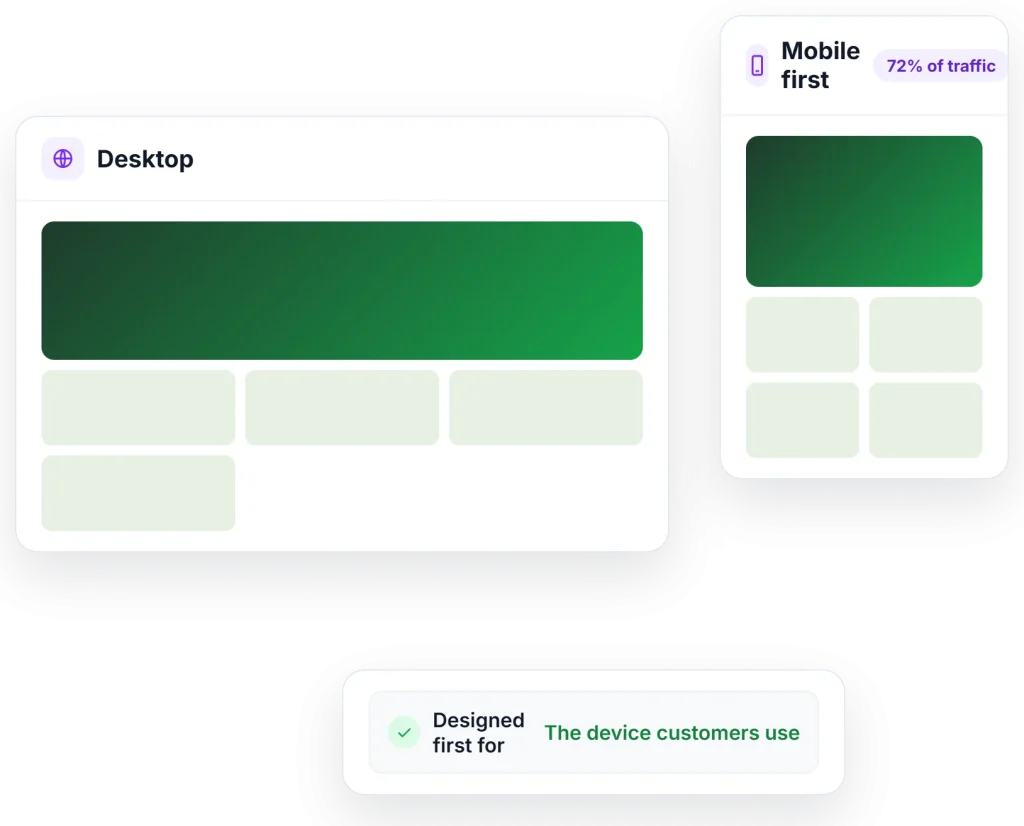
We look at your traffic data first to see whether your customers are mostly on mobile or desktop, then design that version first and build it to be fully responsive so it adapts cleanly to every other screen size.
The device your customers actually use gets the most attention, so their experience is never an afterthought.
Accessibility & Usability Testing
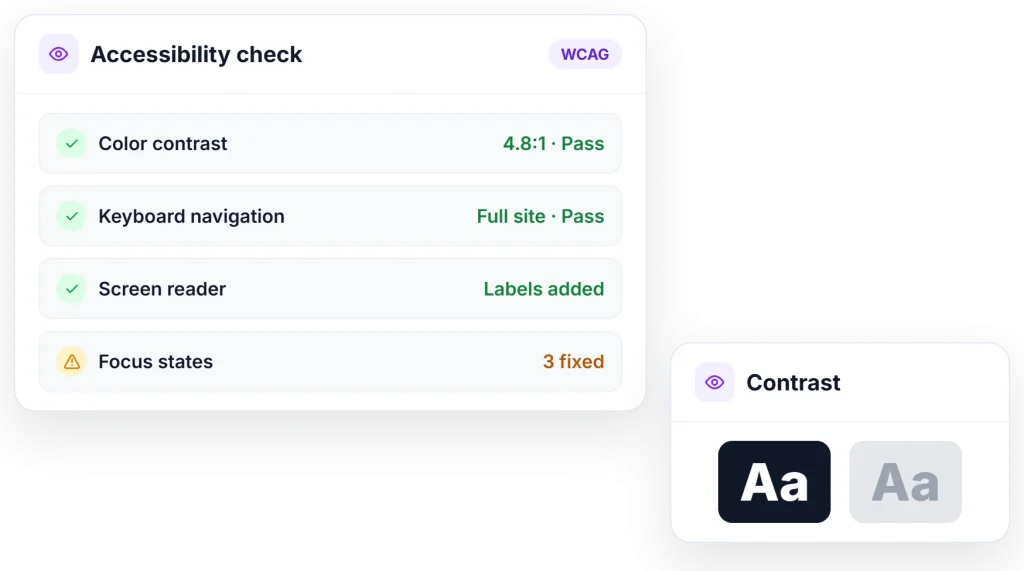
Real accessibility standards guide the testing process: checking color contrast, navigating the entire site with just a keyboard, and reviewing how it reads through a screen reader, so it works for people with visual, motor, or hearing impairments, not just the average visitor.
An accessible site means every visitor, regardless of ability, can actually complete a purchase.
Navigation & Information Architecture
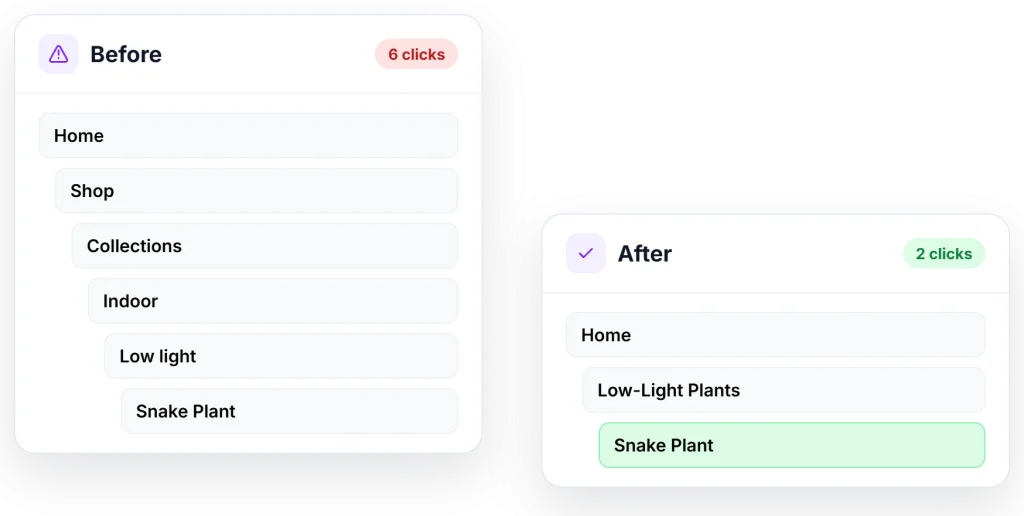
Menus, categories, and internal links get mapped out first, then restructured so any customer can get from your homepage to the exact product or page they want in two or three clicks, instead of hunting through submenus.
Easy navigation means customers find what they came for and trust that you carry what they need.
Frequently Asked Questions
What is the difference between UX and UI design?
UX (user experience) is how your site works: how people move through it and get things done. UI (user interface) is how it looks: layout, type, color, and the little details. We design for both, because a store that looks great but confuses shoppers won’t sell, and neither will one that works well but feels untrustworthy.
What does an ecommerce UX design agency do?
We figure out how your shoppers really use your store, then design pages that make buying feel easy. That can mean research, wireframes, product and checkout pages, mobile design, or a full redesign. We design everything in Figma first, so you can react to it before any code is written.
If we’re not the right fit, you still get a quick win. Once we decide to work together, we’ll dive deeper into the discovery process to come up with the next steps together.
How can better UX increase online sales?
When shoppers can find what they want, trust what they see, and check out without hassle, more of them follow through. We look for the small stuff that makes a big difference: clearer navigation, faster mobile pages, one less step at checkout. Those are some of our favorite wins.
Do you design in Figma?
Yes, Figma is home base for our design team. We share clickable prototypes so you can try things out before anything gets built. It’s the easiest point to change your mind, and we’d much rather you do it here than after launch.
Can you redesign my site without hurting SEO?
Yes. We know how much work goes into earning your rankings, and we’re careful not to undo it. We plan redesigns around your existing URLs and content, and our developers handle redirects so what’s working in search keeps working.
Do you design for accessibility?
Yes, because we believe everyone should be able to use your site. We design with WCAG guidelines in mind: strong contrast, readable type, keyboard navigation, and clear labels. Then we check our work with axe DevTools, WAVE, and Lighthouse.
How much does website design cost?
We bill at $195 per hour. Refreshing a few key pages is a very different project than a full redesign, so we’ll start by talking through what you want to change. From there, we’ll give you a real estimate.




See If We’re the Right Team for You.
Talk to us