Case Study
Moving a 55,000-Order Store from Shopify to WooCommerce
Felix Pay Dirt needed more control over a large store handling online, phone, and subscription orders. Built Mighty migrated the store while preserving its data and core workflows.
Engagement
Ongoing maintenance and support
Focus
A Shopify to WooCommerce move that kept the data and workflows
- Mighty Migrate
- Phone-Order Workflow
- WooCommerce Subscriptions

Focus
Shopify to WooCommerce
- Custom WordPress Development
- Custom Plugin Development
- Data Visualization & Mapping
orders moved from Shopify to WooCommerce with Mighty Migrate
Challenge
- Years of orders and customer data to move
- About half of all orders came by phone
- Private customer notes with no WooCommerce home
- Active subscriptions on a new processor
Solution
- Mighty Migrate, run again before launch
- A storefront that matches the Shopify site
- A phone-order workflow in WooCommerce
- Customer notes kept as custom user data
- Shippo and QuickBooks kept connected
Result
- Order and customer history in place
- Phone orders and subscriptions kept
- More control over payments and data

Client Overview
Felix Pay Dirt sells dirt with gold concentrate online and relies on a mix of online orders, phone orders, and recurring subscriptions.
Felix wanted to move to WooCommerce for more control over the store, including payment processor options, customer data, exports, plugins, and custom development. The goal was to make the move without starting over or losing the data and workflows the business relied on.


The Challenge
Moving a store with this much history required more than copying products and customers.
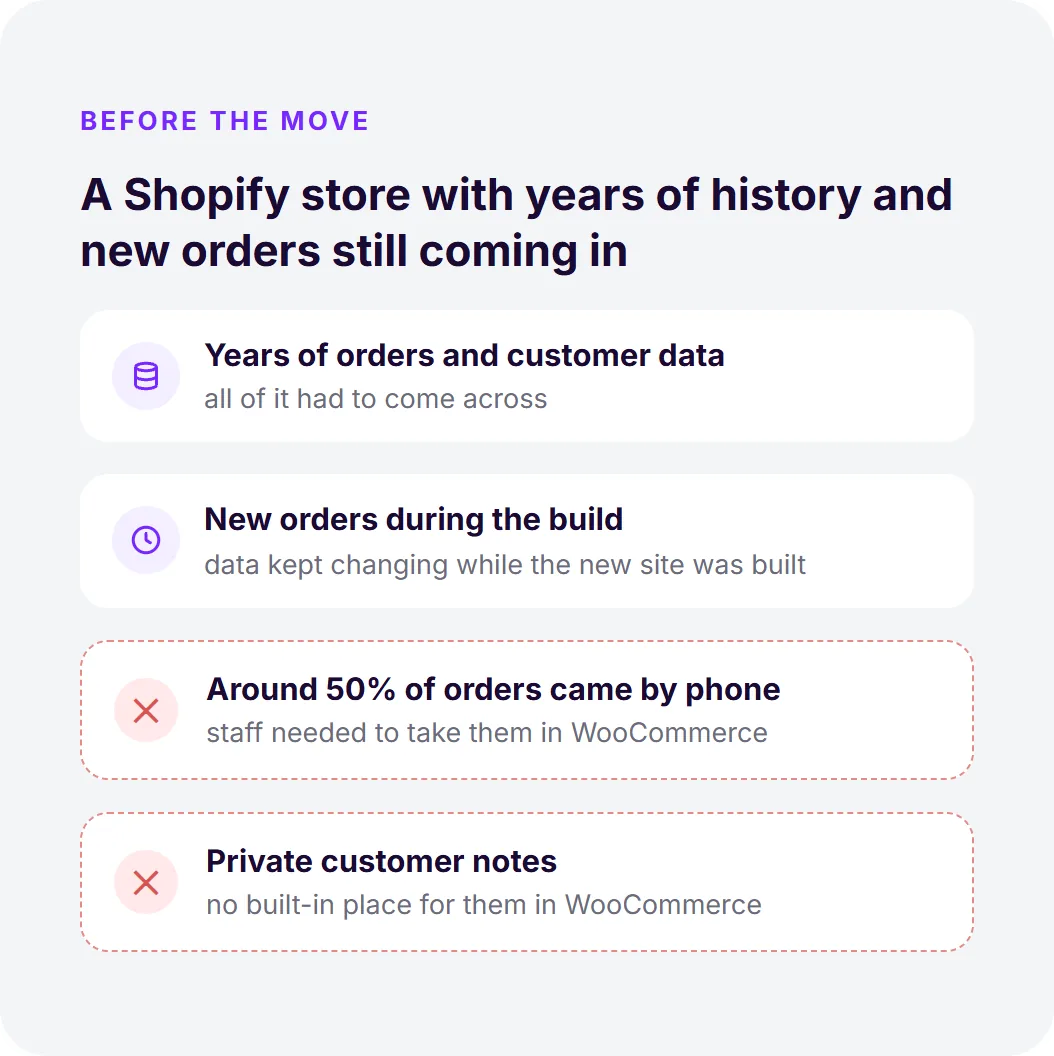
The store had accumulated years of orders and customer data, and new information continued to come in while the new WooCommerce site was being built.
Phone orders were also a major part of the business, with around 50% of orders coming through the phone. Felix needed a way for staff to handle those orders directly in WooCommerce.
There were also several site and marketing features Felix needed to support. These included bot and fraud prevention, email capture popups, promotional countdown timers, product bundles and upsell recommendations, and subscription functionality.
Customer notes were another consideration. Shopify stored private notes with customer records, but WooCommerce did not have the same built-in setup for storing and exporting them. The migration also included active subscriptions, although saved payment information could not be transferred to a different payment processor.

Our Approach
We treated the project as a full platform migration rather than simply moving the store’s data.
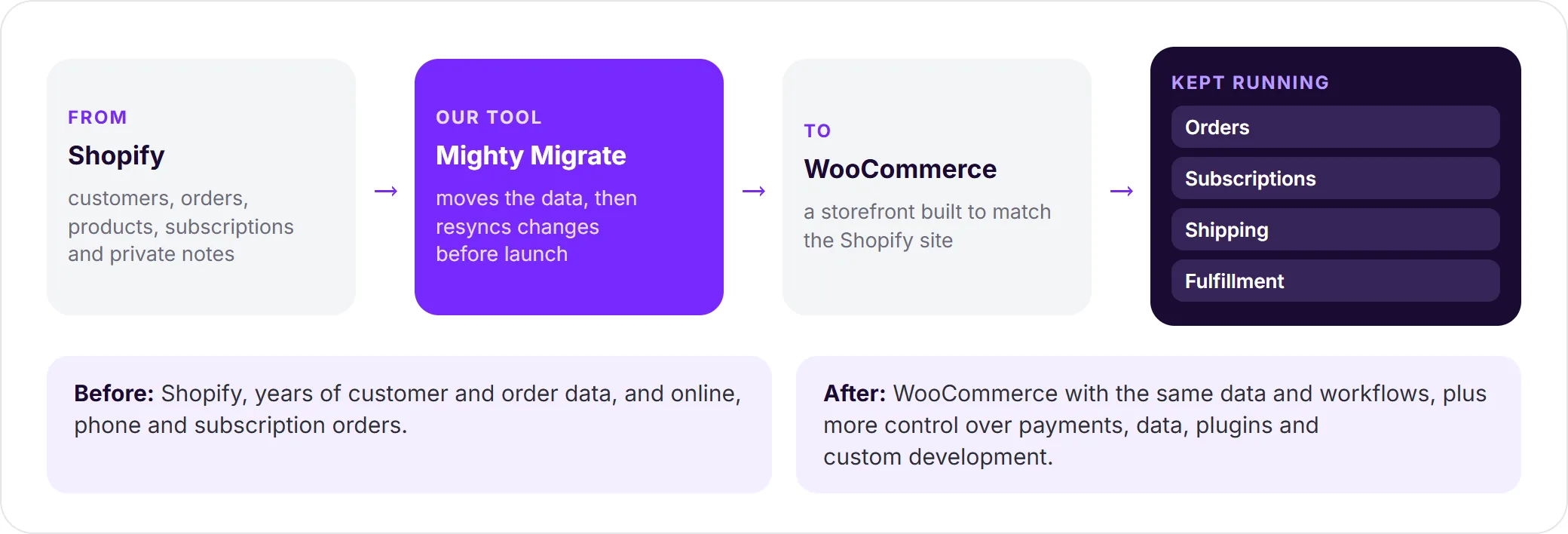
We built Mighty Migrate, our custom migration tool, to move Shopify data into WooCommerce. Because the original data was copied while the new site was being built and tested, we used the tool again before launch to resync information that had changed during the migration period.
We also built the site to look exactly like it did on Shopify while keeping Felix’s existing functionality the business needed. This included setting up WooCommerce Subscriptions, supporting phone orders, adding tools for customer data exports, and configuring the site for promotional and marketing features.
What We Built

Data Migration
We migrated approximately 55,000 orders, 35,000 customer records, 100 products, and 40 subscriptions into WooCommerce.

Phone Orders and Customer Notes
We set up a backend workflow for phone orders, allowing staff to create and process orders directly in WooCommerce. We also migrated private customer notes as custom user data and added WP All Export Pro for easy data exports.

Subscriptions and Store Features
For subscriptions, we migrated customer, product, and recurring schedule details. Active subscribers needed to re-enter their payment information because saved payment details could not be transferred between payment processors.
We added the required marketing and store functionality, including email capture, promotional countdowns, product bundles and upsells, and fraud prevention.

Integrations and Storefront
We kept Shippo and QuickBooks connected through WooCommerce integrations and built the storefront to closely match the Shopify site. This included updating page templates and checkout, reconfiguring Reviews.io, connecting the homepage newsletter to Mailchimp, and removing unnecessary plugins.
We also handled subscription shipping logic, an automatic free-shipping coupon, and Google re-indexing after launch.
How It Works
Swipe to see the full diagram
Measurable Impact
Felix launched on WooCommerce with its existing customer and order history in place instead of starting from a new store.
The migration preserved the core workflows the business depended on, including phone orders, subscriptions, shipping, fulfillment, accounting, and customer data.
The new setup also gave Felix more control over payment processor options, customer data exports, plugins, custom functionality, and future development. This made it possible to support the store’s existing operations while giving the team more flexibility to add the features they needed.
orders migrated
customer records migrated
products migrated
active subscriptions migrated
Key Takeaways
Felix Pay Dirt moved a large, established Shopify store to WooCommerce without leaving its existing customer and order history behind.
We handled the data migration, resynced changes before launch, rebuilt the storefront, and recreated the workflows Felix needed for phone orders, subscriptions, shipping, fulfillment, customer data, marketing features, and fraud prevention.
The result gave Felix a WooCommerce store with more control over the data, payment options, integrations, and custom functionality needed to support the business. WooCommerce gives stores the freedom and flexibility to grow alongside the business that Shopify doesn’t give its store owners.
Technologies
WordPress · WooCommerce · Shopify · Mighty Migrate · WP All Export Pro · Shippo · QuickBooks · Custom PHP

Need to Move Your Store to WooCommerce?
Built Mighty helps established ecommerce stores move to WooCommerce while keeping the data, workflows, and integrations they rely on.
Talk to a WooCommerce Expert

See If We’re the Right Team for You.
Talk to us