Case Study
Making INRIX’s Content Library Easier to Search
Built Mighty improved INRIX’s WordPress search with custom filters, helping visitors find relevant transportation resources, products, and information more easily.
Industry
Transportation Analytics
Focus
Search Customization and Content Discovery
- Custom Search Filters
- Live Result Counts
- Admin Controls
Focus
Search customization
- Custom WordPress Development
- Custom Plugin Development
- Data Visualization & Mapping
filter groups: content type, industry, product category, and resource type
Challenge
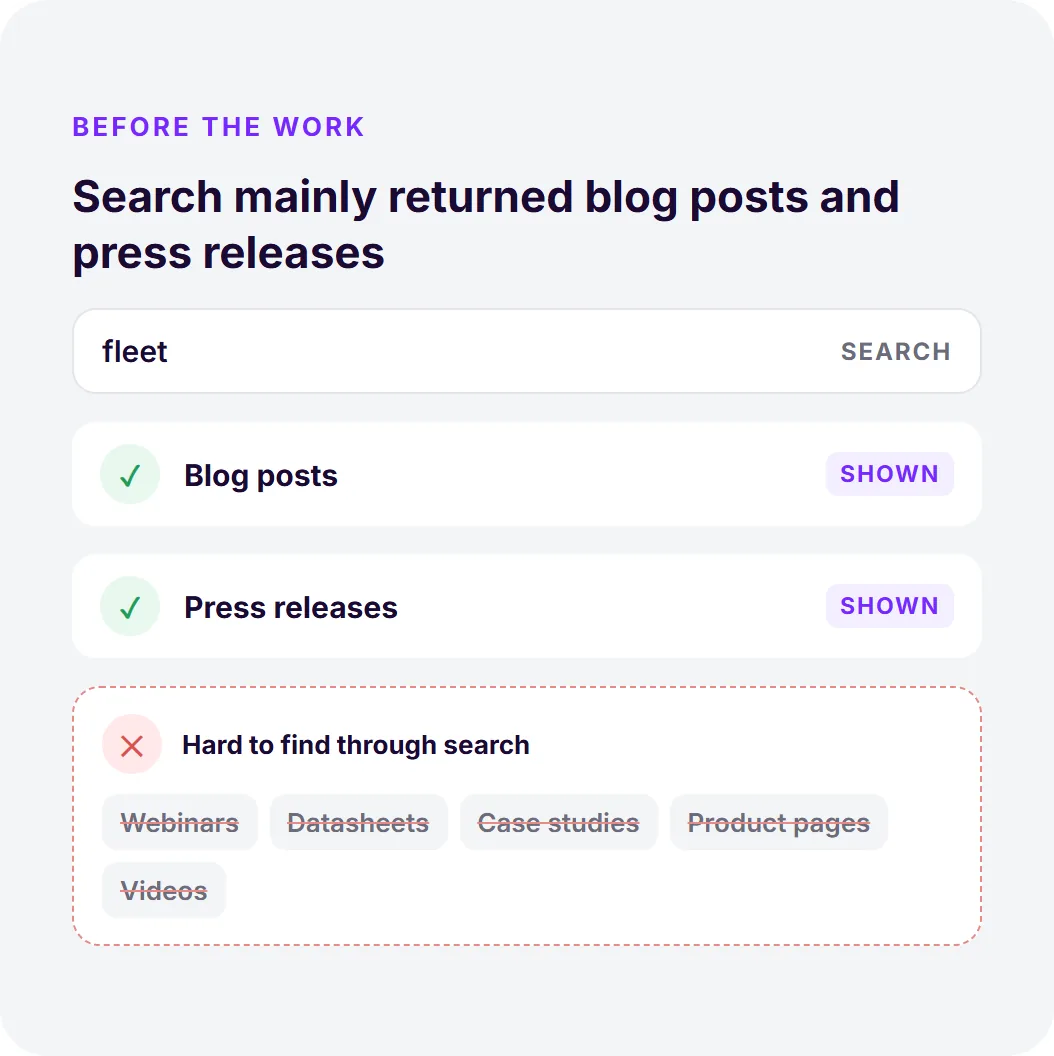
- Search mainly returned blog posts and press releases
- Webinars, datasheets, and case studies stayed hidden
- Resources hard to find by product or industry
- No complete rebuild of the search
Solution
- A custom plugin: INRIX Search Filters
- Built on the existing Relevanssi setup
- Four filter groups for narrowing results
- Live result counts and shareable URLs
- Admin controls to reorder, hide, or rename filters
Result
- More of INRIX’s content found through search
- Searches visitors can share or revisit
- All nine UAT items addressed before deployment

Client Overview
INRIX is a global transportation analytics company that provides data and technology to help businesses and organizations understand traffic, mobility, and transportation trends.
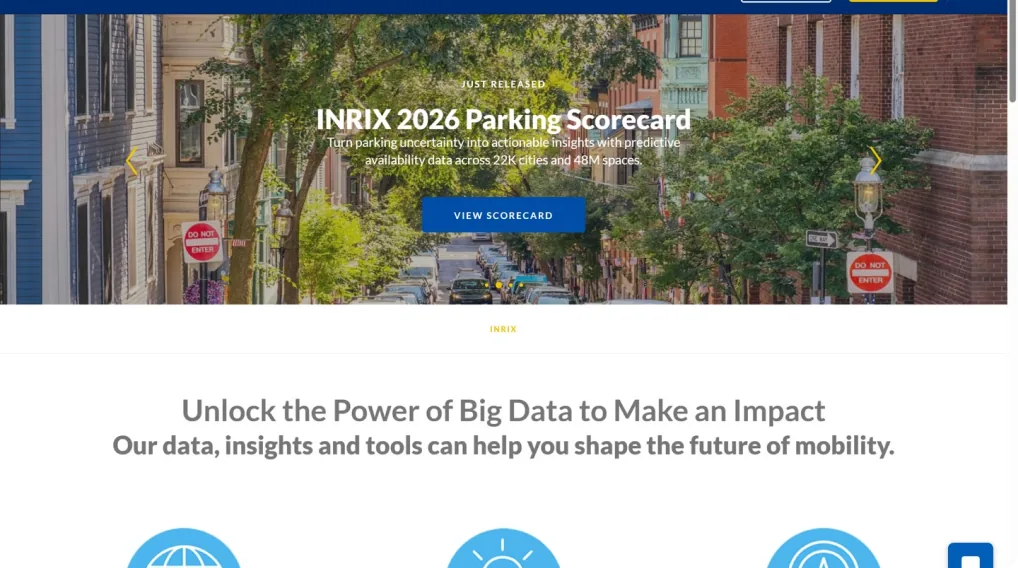
Its website contains a large collection of resources, including blog posts, press releases, webinars, product pages, datasheets, case studies, and videos. Built Mighty saw an opportunity to make this content easier for visitors to find and proposed a custom search filtering solution for the website.



The Challenge
INRIX had a lot of useful information on its website, but visitors could not easily search across the full content library. The existing search experience mainly returned blog posts and press releases, making it harder for users to find other resources related to specific products, industries, or needs.
INRIX was paying to make webinars, datasheets, and case studies that the site search never showed anyone. They were losing opportunities to give potential customers the information they were looking for at the right time.
INRIX had not come to Built Mighty with a specific search solution in mind. We identified the limitation and recommended a way to improve how visitors discovered content.
The goal was to make the website’s resources easier to explore without requiring a complete rebuild of the existing search system.

Our Approach
Instead of waiting for INRIX to request a specific feature, we mocked up a solution that worked with the website’s existing WordPress setup. We met with INRIX and built out that mock up into a full featured solution.
The team extended the existing search functionality and added filters so visitors could narrow results by content type, industry, product category, and resource type.
The solution also needed to keep the search experience easy to use across desktop and mobile devices. Visitors needed to see how many results matched each filter and be able to share or return to a filtered search without starting over.
What We Built
Built Mighty developed a custom WordPress search filtering plugin called INRIX Search Filters.
The plugin expanded the types of content visitors could find and introduced several features to make searching easier:

Custom Search Filters
Content filters: Visitors can narrow results by content type, industry, product category, and resource type.
Content type labels: Search results display badges that help visitors recognize different kinds of resources.

Live Results and Shareable Searches
Live result counts: Filter counts update to help visitors understand how many matching resources are available.
Shareable search results: Selected filters are reflected in the URL, allowing visitors to share or revisit a specific search. A sales rep can send a prospect one link that lists every fleet datasheet.

Mobile-Friendly Search Experience
Mobile-friendly filtering: The search experience adapts to smaller screens.
Custom pagination: Visitors can move through search results more easily without having to scroll forever.

Admin Controls for Search Filters
Admin controls: INRIX’s team can reorder, hide, or rename filters without requiring a developer to make every adjustment.
These improvements made more of INRIX’s existing content accessible through search, helping visitors find relevant product information and resources more easily.
How It Works

Content filterstype, industry, product category, resource type
Live result countsnext to every filter
Shareable resultsselected filters kept in the URL
Mobile filteringadapts to smaller screens
Impact
The improved search experience made INRIX’s broader content library easier to explore, helping visitors find relevant product information and resources that support their purchasing decisions.
Before deployment, all nine user acceptance testing (UAT) items were addressed. The project was completed in approximately 10 billable hours across multiple iterations.
Custom filter categories implemented
Content accessible through search
UAT items addressed before deployment
Billable, across multiple iterations
The search looks great! Please deploy it and let me know once it’s live.
Key Takeaways
A large content library is only useful when visitors can find the information they need. Built Mighty identified a gap in INRIX’s existing search experience and proposed a solution that made more of its website content searchable.
By extending the existing WordPress search instead of rebuilding it, Built Mighty improved content discovery while giving INRIX more control over how search results are organized. Visitors can now narrow their searches to relevant resources more easily, helping them find product information that supports their research and purchasing decisions.
Your visitors shouldn’t have to know where to look. Talk to Built Mighty about making your WordPress content easier to find.
Technologies
WordPress · PHP · JavaScript · AJAX · ResizeObserver API · CSS3 · CSS Grid · Relevanssi

Make Your Website Content Easier to Find
Built Mighty develops custom WordPress functionality that helps businesses make their websites more useful and their content easier to discover.
Explore WordPress Development ServicesServices used
See If We’re the Right Team for You.
Talk to us